Spine Segmentation
Automatic vertebrae, disc, cord & canal segmentation with morphometric analysis — run it on your spine MRI or CT studies right in the PACS viewer.
Research tool — not a regulated medical device. Their results are not a diagnosis and can be wrong. Every result must be reviewed by a qualified clinician, who remains responsible for the clinical decision.
Source: TotalSpineSeg
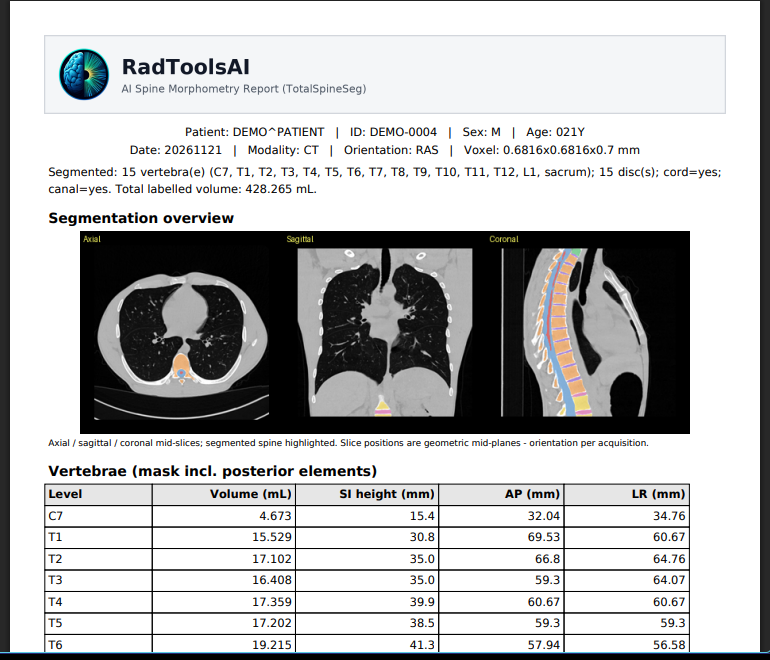
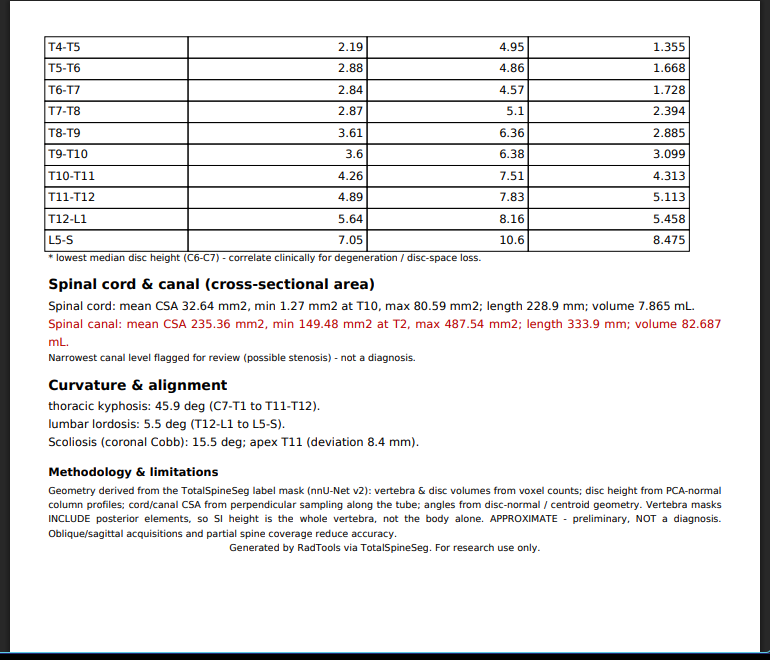
TotalSpineSeg (nnU-Net) labels every vertebra, intervertebral disc, the spinal cord and the canal on any spine MRI or CT, then computes morphometry — vertebra & disc volumes and heights, cord/canal cross-sectional area and curvature/Cobb angles — with an interactive 3-plane and 3D viewer.
Open a spine MRI or CT in the PACS worklist and choose “Spine analysis”.
A pre-computed example: labelled vertebrae, discs, cord and canal in an interactive 3-plane + 3D viewer — this is what you get. Run it on your own study from the PACS viewer.
-
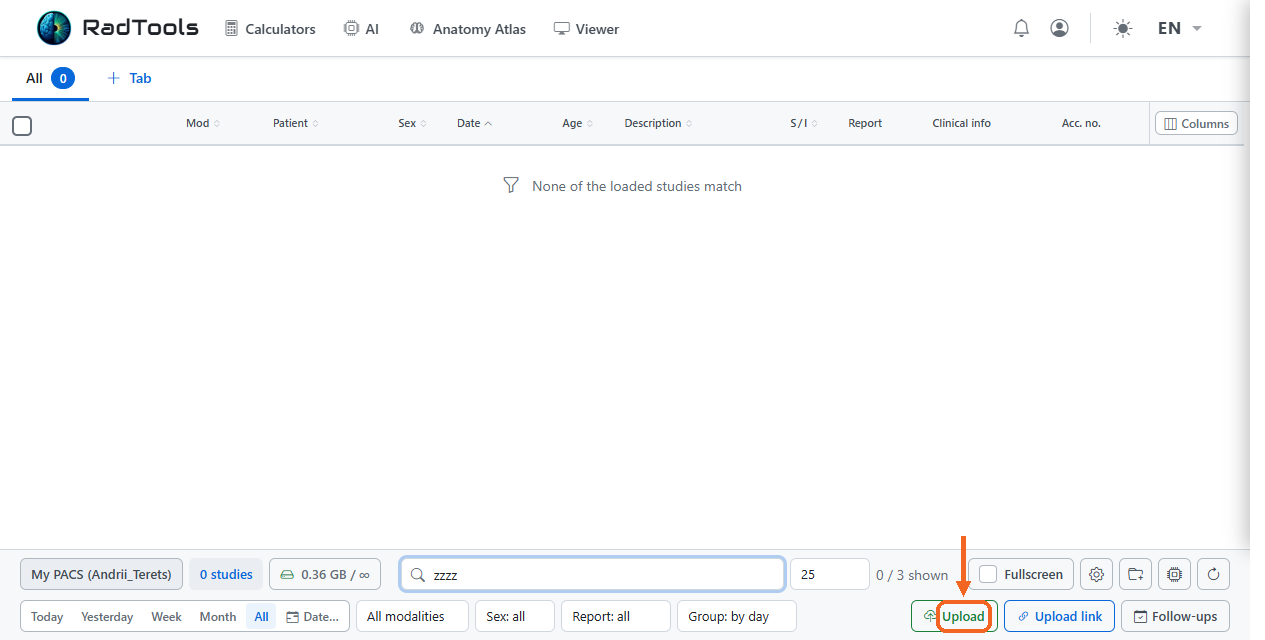
Drag a spine CT or MRI onto the worklistDrop a DICOM file, a ZIP or a whole folder anywhere on the PACS worklist, or press “Upload”.
-
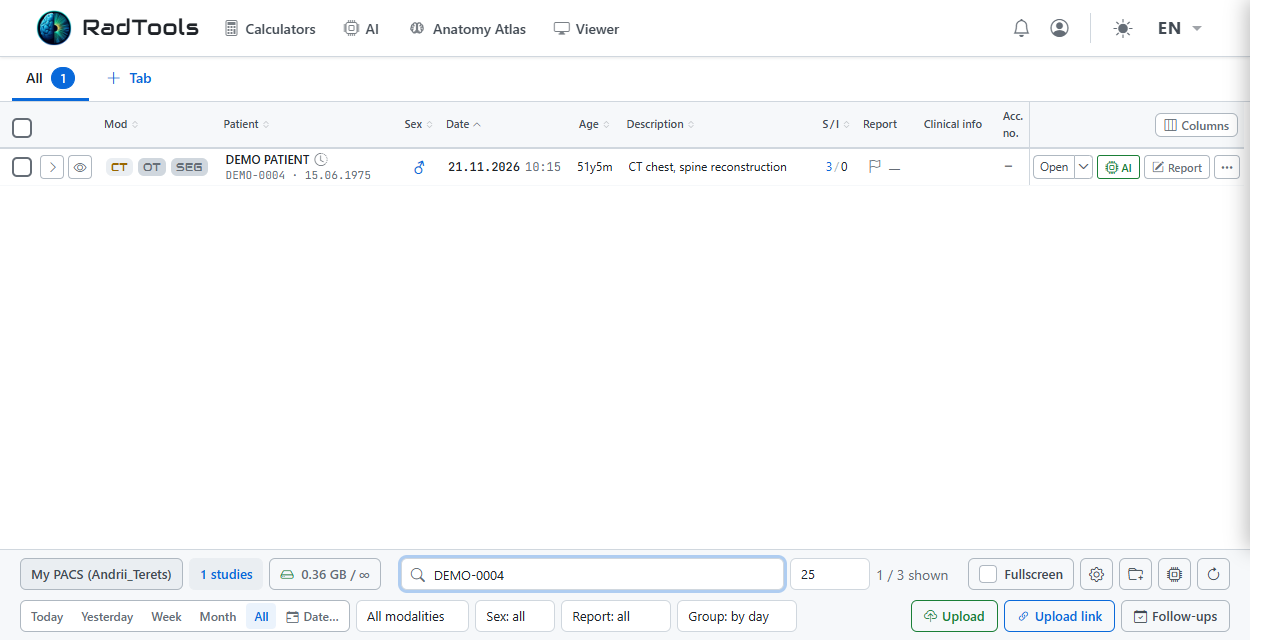
Wait for the study to appearA few seconds after the upload the study shows up in the list.
-
Press “AI” in its rowChoose “Spine analysis”. It is offered for CT and MRI studies.
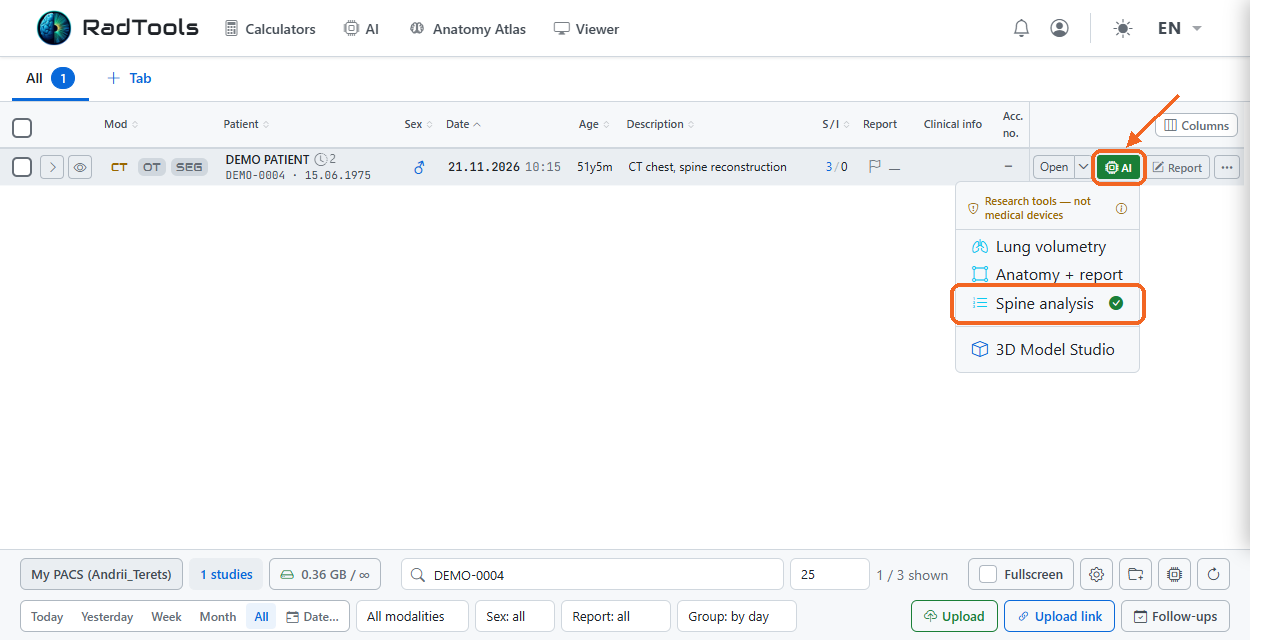
-
Open the studyWhen “AI finished” appears, press “Open” to see the study in the viewer.
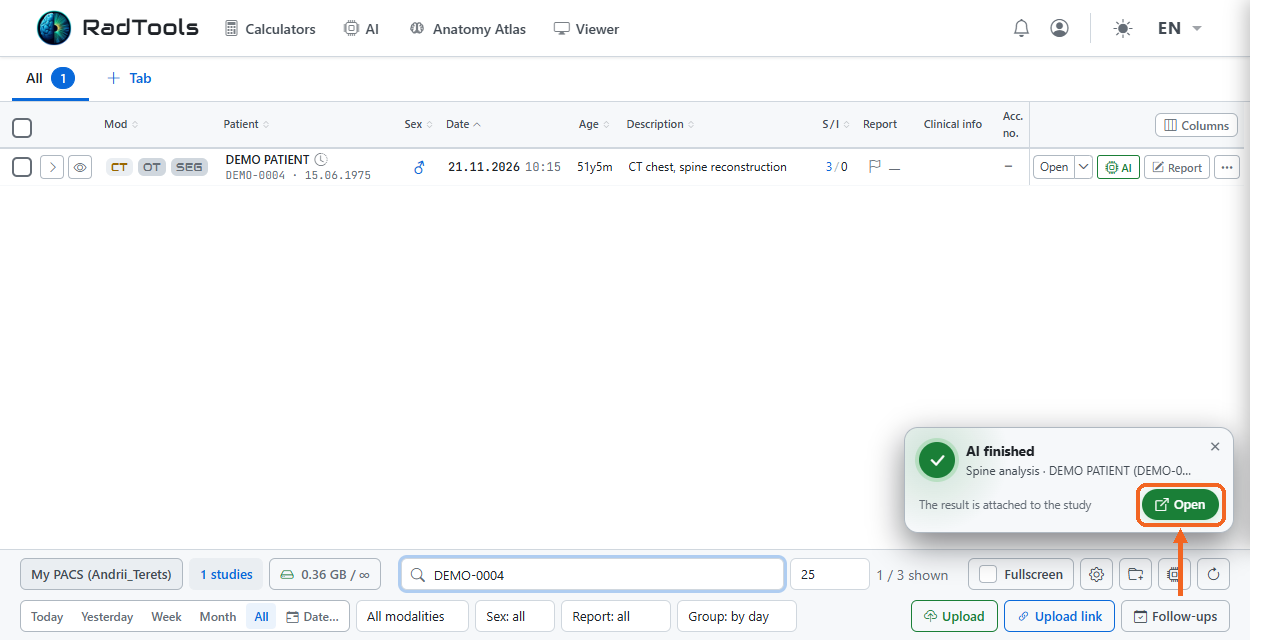
-
Two series are attachedBelow the thumbnails: the AI report and the segmentation “AI spine (TotalSpineSeg)”.
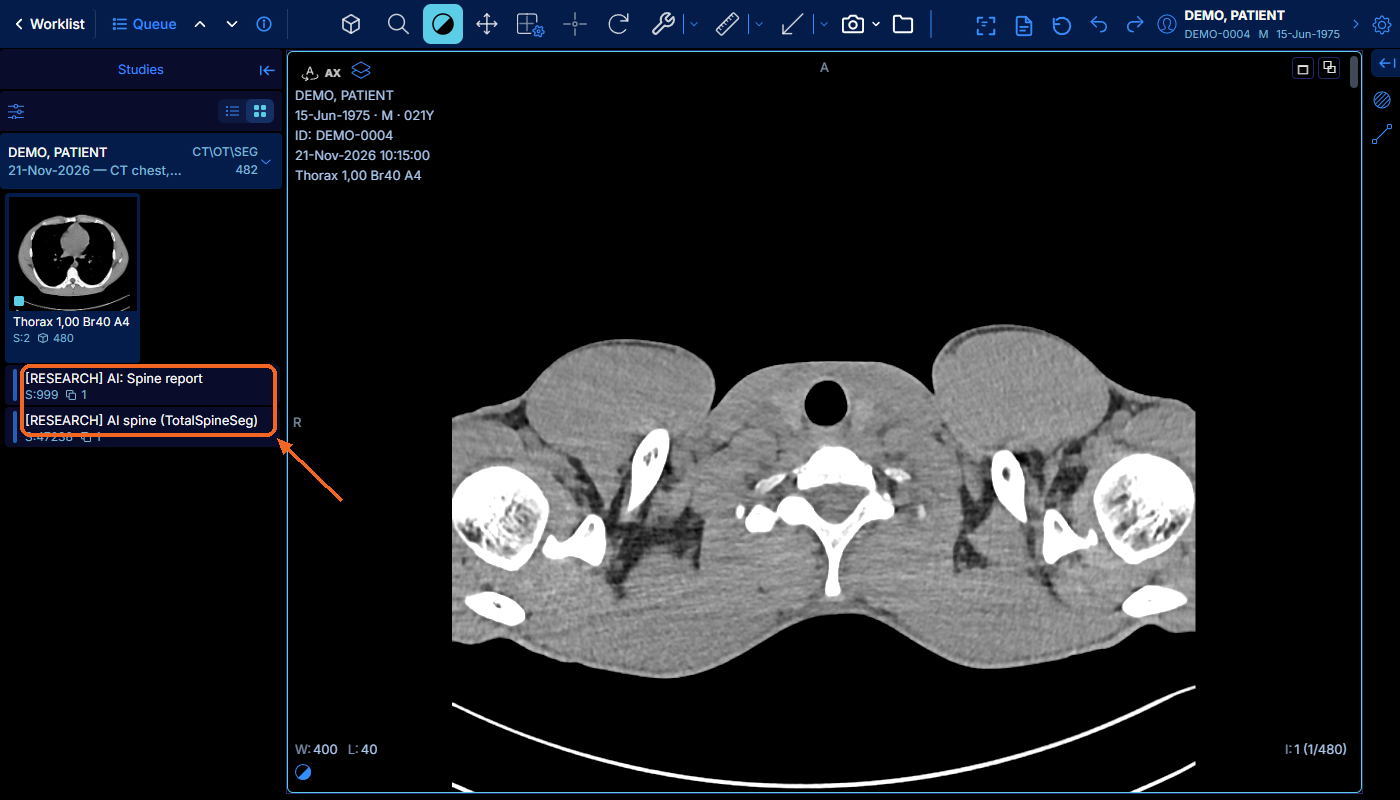
-
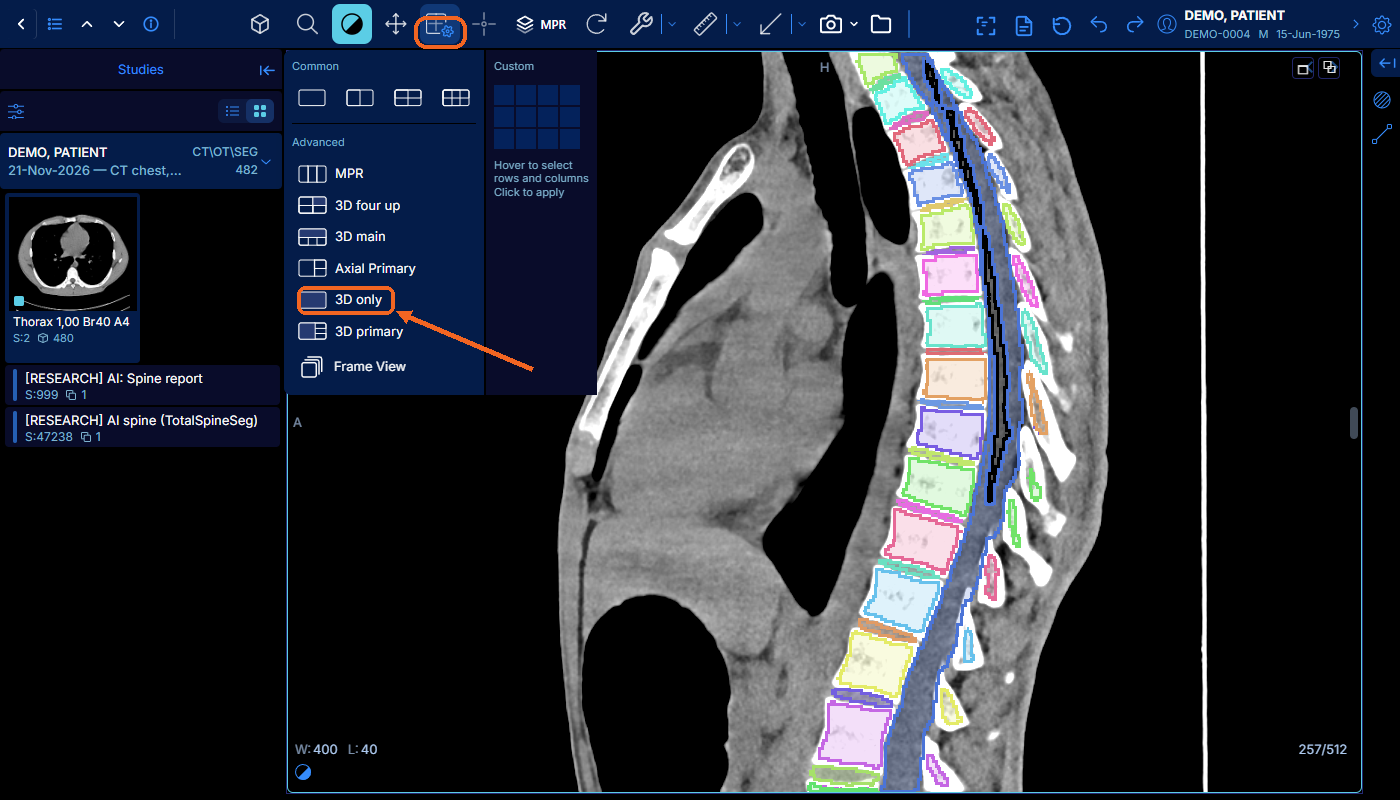
Open the segmentation and the 3D viewDouble-click “AI spine (TotalSpineSeg)”, then choose “Sagittal” in the cube menu: every vertebra, disc, the spinal cord and the canal are coloured, and many vertebrae are visible at once. For the 3D view open the layout menu and choose “3D only”.
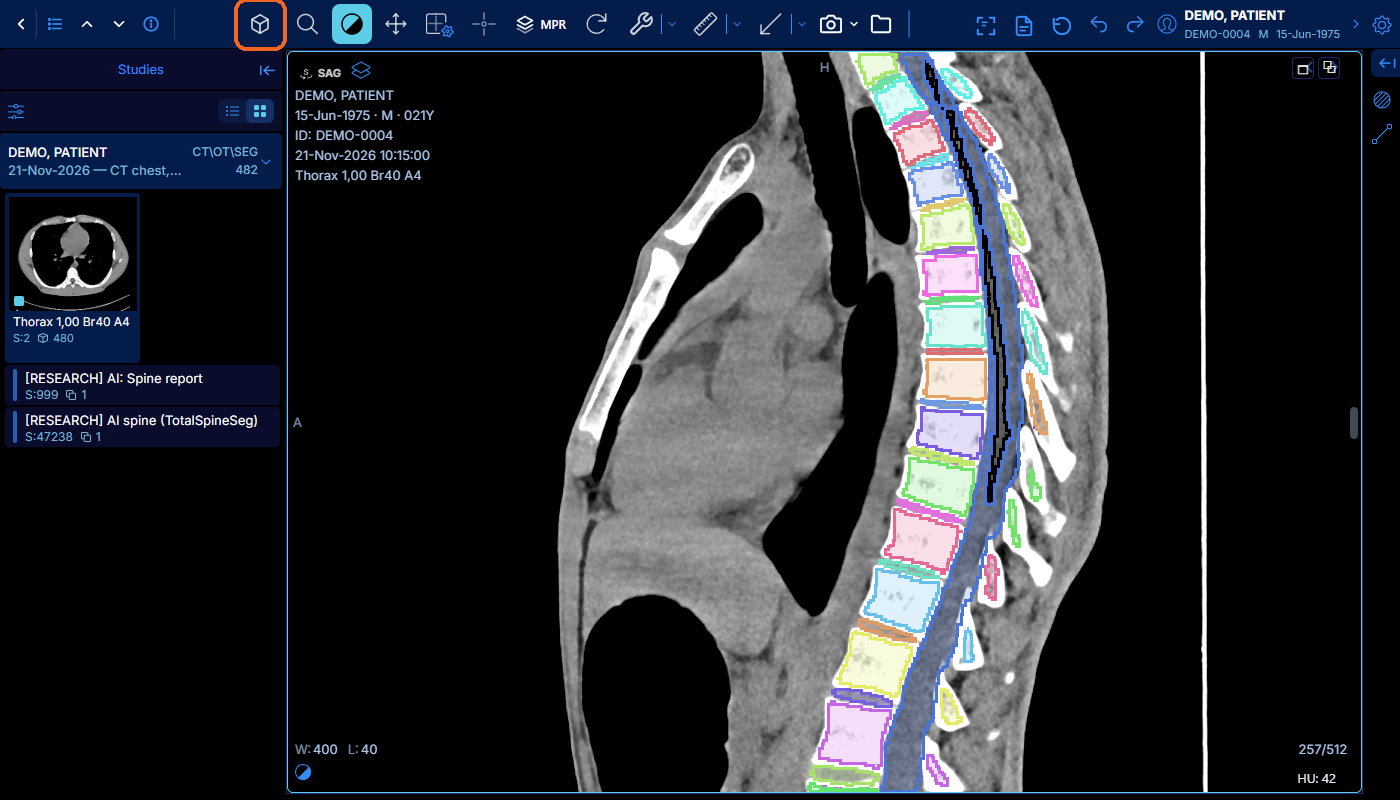
-
Read the reportThe report has the segmentation overview, the volume and height of every vertebra and disc, the cord and canal area and the curvature. It is a research tool, not a diagnosis.